
Support center

FAQ

Need help? Check out these Frequent Questions.

...still need assistance? Try 24/7 Email Support or contact your Rep via phone during office hours 8am–4pm EST (Mon–Fri).

← Go Back

Q: I can’t login?!

← Back to topics
  • Check that Caps Lock is not enabled — passwords are case sensitive.
  • Verify with your admin that your IP is allowed: What’s my IP?
  • Collector users: ask your office administrator to reset your password in Manage Users.
  • Administrators and managers: request a password reset.
  • If the screen says there were too many attempts, stop retrying and wait 15 minutes. A completed password reset clears the account lock immediately.
  • If login still fails, send the exact login-screen message through the Support Center.
  • Having connection trouble? Connection Help & Live Status.
Q: How do I import or upload my files?

← Back to topics

Relax, importing/uploading is included and automatically handled for you per your membership terms. Just drop your file and grab a coffee — you’ll be notified when it’s completed!

Q: What new features do we have?

← Back to topics

Updates are regularly developed to ensure myEZCollect.com members benefit from the latest in browser compatibility, security, and improved UI. Keep an eye on the login notification bar for updates!

Got ideas? Let us know on Facebook! Facebook

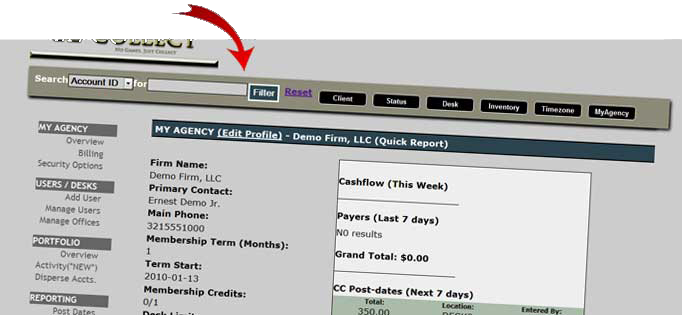
New Toolbar